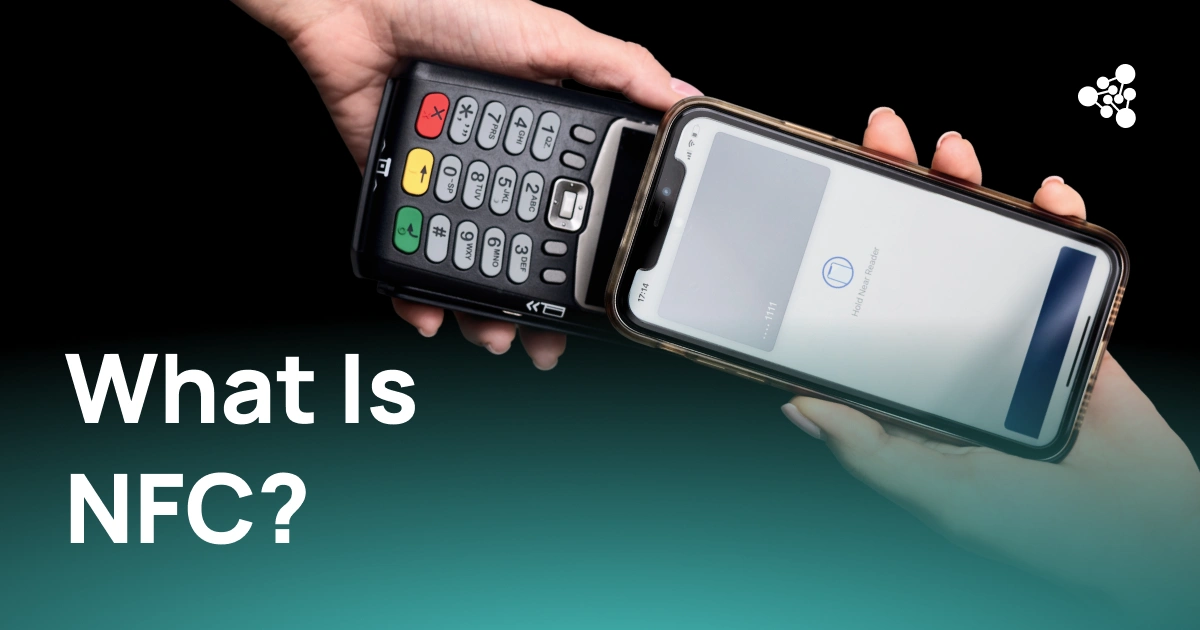
NFC is behind many everyday smartphone interactions, from tapping a phone at a payment terminal to opening information from a small tag. So, what does NFC mean on my phone? NFC stands for Near Field Communication, a wireless technology that lets compatible devices exchange small amounts of data when they're very close to each other.
Key Takeaways
- NFC is a short-range wireless technology built into many smartphones.
- Phones use it for contactless payments, transit passes, digital tickets, NFC tags, and some accessories.
- NFC doesn't need mobile data or Wi-Fi for the exchange itself.
- Not every smartphone has NFC, and available features vary by model.
What Does NFC Mean on My Phone?
In practical terms, NFC lets your phone communicate with nearby NFC-enabled devices and tags, without any pairing or setup. A small chip and antenna in the phone exchange data with a compatible reader or tag when the two come within a few centimeters of each other — a range that's intentionally short, since NFC is meant for actions where you physically bring two objects together.
How Does NFC Work on a Phone?
NFC operates at 13.56 MHz using electromagnetic fields, working either between two active devices or between a phone and a passive tag. A passive tag needs no battery of its own: the phone's electromagnetic field supplies the energy it needs to send back its stored data. The phone then processes that data according to the application — a payment terminal handles it very differently from a tag that just stores a web address. This is also why NFC feels almost instant: there's no device discovery or manual pairing step like there often is with Bluetooth.
What Is NFC Used for on a Phone?
Contactless payments. Tap-to-pay is the most familiar use. Services like Apple Pay and Google Wallet use NFC to talk to payment terminals, with credentials protected by device authentication and tokenization rather than sent as raw card details.
Transit and digital tickets. Transit networks use NFC for fares, passes, and ticket validation — the same principle applies to event tickets and building access.
NFC tags. A tag is a small chip attached to a poster, product, or sign that can open a website, show product details, launch an app, or trigger another action when scanned.
Devices and accessories. NFC can simplify pairing with compatible accessories or smart home products, letting you skip setup steps with a single tap.
How to Know If Your Phone Has NFC
If you've spotted an NFC option in your phone's settings, your device most likely supports it — though checking the exact model's specifications is the most reliable way to confirm. On Android, it usually sits under Connections or Connected devices, though the exact spot varies by manufacturer. On iPhone, NFC is built into supported features rather than run through one universal switch. For used or refurbished phones, it's worth checking against the exact model, since similar-looking devices sold in different markets can have different hardware.
How to Turn NFC On or Off
Many Android phones let you toggle NFC from Settings or Quick Settings, with the exact menu depending on the manufacturer and Android version. On iPhone, NFC is managed automatically by iOS for supported functions, so there's no equivalent general switch.
Do You Need NFC Turned On All the Time?
There's usually no practical need to turn NFC off. Its short range means the phone has to be deliberately brought close to a reader, tag, or device before anything happens — so leaving it on is mostly a matter of convenience, and turning it off is mostly a matter of preference.
Is NFC Safe to Use?
A short range doesn't make every NFC interaction automatically safe. Treat an unfamiliar NFC tag the way you'd treat an unknown QR code or link — check where it leads before entering sensitive information or installing anything. Contactless payments add their own protection on top, including device authentication and tokenization.
NFC vs. Bluetooth: What Is the Difference?
NFC is built for quick interactions over a very short distance — payments, tags, access systems, anything where two devices just need to recognize each other. Bluetooth is better suited to maintaining a connection over a longer distance, which is why headphones, keyboards, and speakers use it instead. The two can also work together: NFC handles the initial handshake, and Bluetooth takes over the connection afterward.
Frequently Asked Questions
Does every phone have NFC? No — it's common on current smartphones but not universal, and hardware can differ by region.
Does NFC use mobile data or Wi-Fi? No, not for the exchange itself, though an action it triggers — like opening a website — may need an internet connection afterward.
Does NFC drain the battery? Its effect is small, since it's used for brief interactions rather than continuous communication.
Can I turn NFC off? On many Android phones, yes, from Settings or Quick Settings. iPhones don't offer the same universal toggle.
Conclusion
NFC has become a quiet but reliable part of how phones interact with the world — letting a device talk to payment terminals, transit systems, tags, and accessories with a simple tap. For businesses processing used and refurbished devices, it's also worth checking on any model that supports it, as part of a structured diagnostic process before resale or refurbishment.