When processing hundreds or thousands of used devices, warranty information becomes another factor that influences repair decisions, resale pricing, and inventory routing. Checking every IMEI manually quickly turns into a bottleneck. Automated batch verification solves that problem by retrieving warranty data for multiple devices at once and attaching it to each device's record alongside diagnostics and grading results.
Key Takeaways
- Automated batch verification eliminates the need to check warranty information one device at a time.
- Warranty data supports repair, pricing, and resale decisions but should always be considered alongside diagnostics and cosmetic grading.
- IMEI or serial numbers already collected during device intake can usually be reused for warranty verification.
- Keeping warranty information in the same system as diagnostics and inventory records makes it more useful throughout the refurbishment process.
Warranty status can be checked across an entire inventory batch by submitting IMEI or serial numbers to a bulk verification service instead of looking up each device individually. Depending on the manufacturer, this may involve official warranty databases or trusted third-party lookup services. The greatest value comes from automatically attaching the results to each device's record, where warranty information can be viewed together with diagnostics, grading, blacklist checks, and inventory data.
What Is a Phone Warranty?
A phone warranty is a manufacturer's commitment to repair or replace a device if it develops defects covered by the warranty terms within a specified period after purchase or activation.
For consumers, warranty information simply indicates whether manufacturer support may still be available. For refurbishers, wholesalers, and trade-in providers, it becomes another data point that can influence repair costs, resale strategy, and overall processing decisions.
Warranty terms differ between manufacturers, regions, and device models, so coverage should always be verified using the relevant warranty provider.
What Does a Phone Warranty Cover?
Most standard manufacturer warranties cover:
- hardware defects caused by manufacturing faults
- failures of internal components under normal use
- certain software issues covered by the manufacturer's warranty policy
They generally do not cover:
- cracked displays or accidental damage
- liquid damage
- unauthorized repairs or modifications
- normal battery wear
- cosmetic scratches and dents
Warranty information cannot determine a device's condition on its own. A phone may still be covered while having significant physical damage, or it may be out of warranty while remaining in excellent working condition. That is why diagnostics and cosmetic grading remain essential.
Why Check Warranty Information in Bulk?
Checking warranty information for a single phone only takes a few minutes. Repeating the same process hundreds or thousands of times quickly becomes inefficient.
Batch verification helps refurbishment businesses:
- identify devices that may qualify for manufacturer service
- improve repair-cost planning
- segment inventory by remaining coverage
- provide more accurate information to buyers
- reduce time spent on repetitive manual lookups
Two devices with identical specifications and cosmetic grades may have different resale value if one still includes manufacturer coverage while the other does not.
What Data Is Needed for a Warranty Check?
Most warranty verification relies on one or more of the following identifiers:
- IMEI number
- serial number
- device model
- purchase or activation date, when available
For smartphones, the IMEI is typically the primary identifier. Tablets, smartwatches, and other connected devices may rely more heavily on serial numbers, depending on the manufacturer.
Since these identifiers are usually collected during device intake or diagnostics, batch warranty verification rarely requires additional manual data entry.
How Batch Warranty Verification Fits Into the Refurbishment Workflow
A typical workflow looks like this:
- Devices are registered using their IMEI or serial number during intake.
- Warranty information is retrieved automatically through bulk verification.
- The results are attached to each device's record.
- Combined data helps determine whether the device should be repaired, resold, traded in, or processed differently.
In many refurbishment facilities, these steps are integrated into the intake process, allowing operators to process large batches without switching between multiple manufacturer websites or manually recording results.
Why Warranty Data Should Be Part of the Device Record
Warranty information becomes much more valuable when viewed together with the rest of a device's processing data. By itself, it only indicates whether manufacturer coverage may still be available. Combined with diagnostics, cosmetic grading, and inventory records, it provides a stronger basis for repair, pricing, and resale decisions.
A complete device profile typically includes:
- diagnostics results
- cosmetic grade
- warranty information
- IMEI and inventory history
- blacklist or carrier-lock status
Keeping these data points together eliminates repeated lookups and ensures that every team has access to the same information throughout the refurbishment workflow.
NSYS Inventory follows this approach by maintaining IMEI-based records that combine diagnostics, GSMA blacklist and carrier-lock (ESN) checks, inventory data, and processing history in one place. Warranty information naturally fits into the same workflow instead of being stored in separate spreadsheets or browser tabs.
What Does a Warranty Report Typically Include?
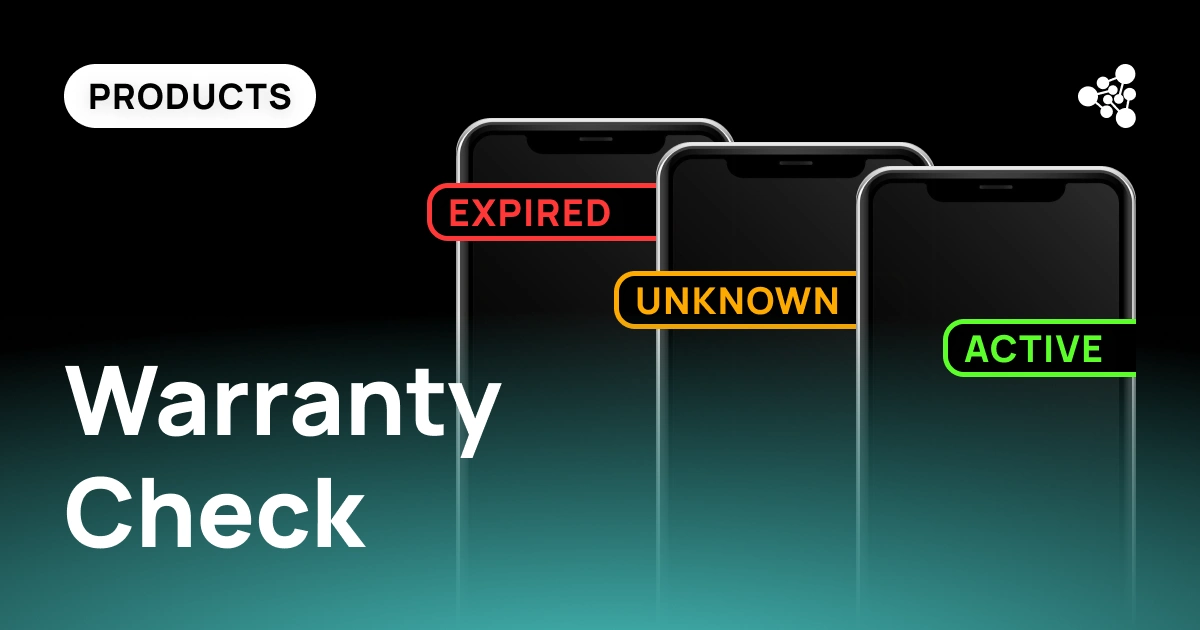
Depending on the manufacturer and available data, a warranty report may include:
- warranty status (active or expired)
- warranty expiration date
- device model
- IMEI or serial number
- manufacturer information
The exact fields vary between manufacturers, but together with diagnostics and inventory records they provide a more complete view of every device entering the refurbishment process.
Frequently Asked Questions
Can warranty information affect resale pricing?
Yes. Remaining manufacturer coverage may increase buyer confidence and influence resale value, particularly for newer devices. It is usually considered together with diagnostics, cosmetic condition, and market demand.
Does warranty information replace diagnostics?
No. Warranty information only indicates whether manufacturer coverage may still apply. Diagnostics are still required to identify hardware faults, battery health, and functional issues.
Can warranty checks be combined with blacklist verification?
Yes. Many refurbishment workflows perform warranty, GSMA blacklist, carrier-lock (ESN), and diagnostics checks during the same intake process, allowing every result to remain attached to the device's IMEI record.
What identifiers are needed for batch warranty verification?
Most verification services rely on IMEI or serial numbers. Some manufacturers may also use purchase or activation information when available.
Can warranty information be stored automatically?
Yes. Instead of exporting results into separate spreadsheets, many refurbishment businesses attach warranty information directly to each device's inventory record so it remains available throughout repair, grading, and resale.
Conclusion
Automated warranty verification saves far more than lookup time. When warranty information is linked to diagnostics, grading, blacklist checks, and inventory records, every device carries a complete history throughout processing. This reduces manual work, keeps information consistent across teams, and helps refurbishers make faster repair, pricing, and resale decisions at scale.