Your phone suddenly says "No SIM," and you can no longer make regular calls, send texts, or use cellular data. The error can appear even when your SIM card hasn't been removed or your phone was working normally minutes earlier.
In most cases, the problem involves the SIM card, its connection to the phone, or a temporary software issue.
Quick Answer
If you're wondering why your phone says no SIM, it means your device cannot detect or recognize an active SIM card or eSIM. Common causes include a loose or damaged SIM, software glitches, and activation problems. Restart your phone, check the SIM connection, and install available updates before considering a replacement.
What Does "No SIM" Mean on Your Phone?
A SIM (Subscriber Identity Module) identifies your mobile subscription and allows your phone to connect to your carrier.
When your phone says "No SIM," "No SIM Card," or "No SIM Available," it generally means the device cannot recognize a usable SIM.
This is different from a "No Service" message. With No Service, your phone may recognize the SIM but cannot connect to a cellular network.
If your phone uses an eSIM, the error may indicate a missing, disabled, or incorrectly configured cellular plan.
Common Reasons Your Phone Says No SIM
Several issues can prevent a phone from detecting its SIM card.
- Loose or incorrectly inserted SIM: The card may not make proper contact with the reader.
- Damaged SIM card: Scratches, corrosion, or worn contacts can interfere with detection.
- Software glitches: Temporary operating system or modem errors can interrupt SIM recognition.
- Carrier or activation problems: An inactive or incorrectly provisioned cellular plan may prevent normal service, although it does not always produce a No SIM error.
- Damaged SIM tray or reader: Bent contacts, liquid exposure, or physical damage can prevent detection.
- eSIM setup issues: An incomplete activation, disabled line, or missing eSIM profile can cause similar problems.
If your phone suddenly says no SIM after being dropped or exposed to moisture, hardware damage is worth investigating.
Why Does Your Phone Keep Saying No SIM?
A recurring error often points to an intermittent connection rather than a completely undetected SIM.
For example, a worn SIM card may work when the phone is stationary but lose contact when the device moves. Software bugs can also cause the cellular modem to temporarily stop recognizing the SIM.
Pay attention to when the error appears. If it started after a system update, investigate software and carrier settings. If it happens after physical movement, the SIM tray or reader may be responsible.
How to Fix a No SIM Error
Try these steps in order, starting with the simplest solutions.
- Restart your phone. A reboot can resolve temporary software problems affecting SIM detection.
- Toggle Airplane Mode. Enable it for approximately 15 seconds, then disable it to restart cellular connectivity.
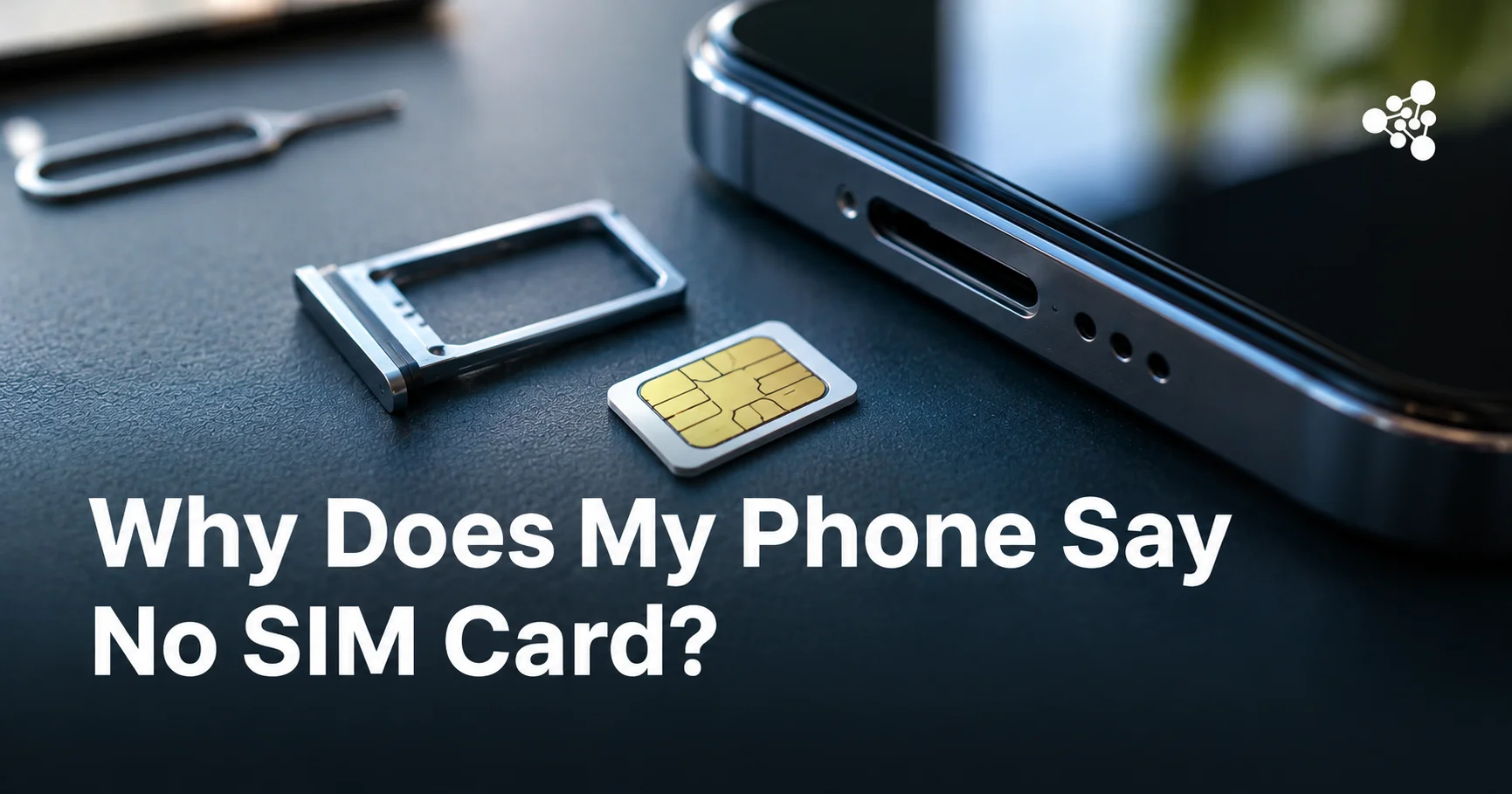
- Check the physical SIM. Turn off your phone, remove the SIM tray, and inspect the card for visible damage. Reinsert it carefully without forcing the tray.
- Install updates. Check for operating system and carrier settings updates.
- Reset network settings. This can resolve corrupted cellular configurations, although it may also remove saved Wi-Fi networks and other network preferences.
- Test another SIM. If your phone supports physical SIM cards, try a compatible, active SIM to help determine whether the original card is defective.
If another SIM works normally, contact your carrier about replacing the original card. If neither works, the phone's SIM reader or cellular hardware may need professional inspection.
Do not attempt to repair damaged SIM contacts or insert objects into the card reader.
How to Fix No SIM on an Android Phone
If you're asking why your phone says no SIM card on Android, the troubleshooting process is similar, but menu names vary between manufacturers.
Start by opening Settings and looking for SIM management under Connections, Network & Internet, or Mobile Network.
Check whether your SIM or eSIM is listed and enabled. If the phone recognizes the SIM but cannot connect, verify that the correct cellular line is selected.
You can also check for updates under Settings > System > Software Update, although the exact path depends on your device.
For persistent problems, search Settings for "Reset network settings" or "Reset mobile network settings."
Avoid performing a factory reset before testing the SIM itself. A reset will not repair a physically damaged card or SIM reader.
What Does "No SIM Available" Mean on an iPhone?
"No SIM Available" generally means your iPhone cannot find a usable SIM or active cellular plan.
For a physical SIM, inspect and reinsert the card. For an eSIM, open Settings > Cellular and check whether your cellular plan appears and is enabled.
You can also connect to Wi-Fi and open Settings > General > About to check whether a carrier settings update is offered.
If your eSIM is missing or inactive, contact your carrier before deleting or attempting to reinstall it. Some eSIM transfers require a new activation process.
Apple provides additional guidance on its official No SIM troubleshooting page.
What If Your Phone Still Doesn't Detect the SIM?
If basic troubleshooting fails, the next step is to distinguish a defective SIM from a hardware problem.
A replacement SIM is usually easier and less expensive to investigate than repairing a phone. However, if multiple working SIM cards fail in the same device, professional diagnostics may be necessary.
For businesses buying, refurbishing, or reselling used smartphones, SIM recognition problems are particularly important. A phone that passes a visual inspection may still have cellular connectivity defects that affect its resale value.
NSYS Diagnostics helps businesses perform structured smartphone testing, including SIM-related and network functionality checks. This allows refurbishers and resellers to identify potential connectivity issues before devices reach customers.
Frequently Asked Questions
Can a SIM card suddenly stop working?
Yes. A SIM card can fail because of physical damage, worn contacts, or an internal chip defect. However, a sudden No SIM error can also result from a temporary software problem.
Can a software update cause a No SIM error?
Yes. Occasionally, software updates introduce cellular connectivity bugs or affect network configurations. Check for subsequent updates and carrier settings fixes before assuming the SIM is damaged.
Will resetting network settings affect your SIM card?
No. Resetting network settings does not physically damage or erase a traditional SIM card. However, it can remove saved network configurations, and some devices offer separate options to erase eSIM profiles. Avoid selecting those options unless instructed by your carrier.
Can a carrier outage make your phone say No SIM?
Usually not. Carrier outages generally cause "No Service" or similar connectivity errors because the phone can still detect its SIM. A No SIM message more often indicates a detection or configuration issue.
When should you replace your SIM card?
Consider replacement if the SIM repeatedly disconnects, shows visible damage, or fails in another compatible, unlocked phone. Your carrier can usually issue a replacement SIM or help activate an eSIM.