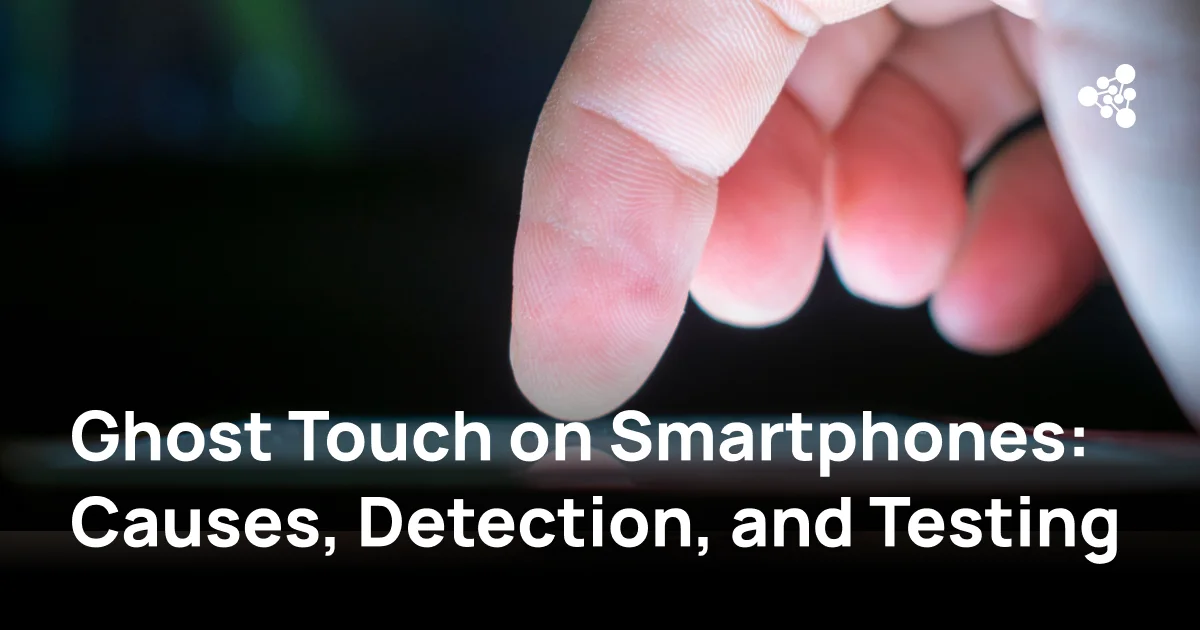
A smartphone may look perfectly functional until it starts opening apps, scrolling through menus, or typing without anyone touching the screen. This issue, known as ghost touch, can make a device difficult to use and may indicate an underlying touchscreen fault.
For smartphone refurbishers, ghost touch presents an additional challenge: the problem may appear intermittently, allowing a defective device to pass a quick inspection. Identifying the cause before resale helps businesses make better repair decisions and reduce the risk of customer returns.
Quick Answer
Ghost touch occurs when a smartphone registers touchscreen inputs that the user did not make. Common causes include damaged digitizers, moisture, faulty charging accessories, and software problems. To fix ghost touch, clean the display, disconnect accessories, restart the device, and run touchscreen diagnostics. Persistent or intermittent phantom touches may require further hardware inspection or screen replacement.
Key Takeaways
- Ghost touch differs from an unresponsive touchscreen: the device registers unintended inputs rather than simply failing to respond.
- Damaged screens, electrical interference, moisture, and software issues can all cause phantom touches.
- A touchscreen diagnostic test helps identify inaccurate inputs, dead zones, and abnormal touch behavior.
- Intermittent ghost touch may not appear during a single test, making repeated checks important.
- Refurbishers should verify touchscreen functionality before and after repairs and document test results during quality control.
What Is Ghost Touch on a Smartphone?
Ghost touch is a touchscreen malfunction in which a smartphone detects taps, swipes, or gestures without corresponding physical contact.
Modern smartphones use capacitive touchscreens that detect changes in an electrical field when a finger approaches or touches the display. A touch controller interprets these signals and converts them into actions.
When the digitizer, electrical signals, or touch-processing software malfunctions, the phone may interpret incorrect signals as genuine interactions.
Common examples include a phone opening applications, scrolling unexpectedly, or entering characters without user input.
Ghost touch should not be confused with an unresponsive touchscreen. Although both affect usability, they describe different problems:
|
Ghost touch |
Unresponsive touchscreen |
|
Registers touches that never occurred |
Fails to register actual touches |
|
May open apps or activate buttons unexpectedly |
May ignore taps or swipes |
|
Can occur intermittently |
Can affect specific areas or the entire display |
|
May result from false electrical signals |
May result from damaged touch components or software failures |
For a closer look at related touchscreen problems, read our article on unresponsive touchscreens.
A damaged touchscreen can exhibit both problems, so diagnostic testing should check for unintended inputs and missed touches.
What Causes Ghost Touch?
Ghost touch can result from physical damage, environmental conditions, electrical interference, or software problems. Identifying the cause is essential because not every case requires screen replacement.
Damaged Screens and Faulty Digitizers
The digitizer is responsible for detecting touch input. In modern smartphones, it is commonly integrated into the display assembly.
Physical damage can interfere with its operation, even when the screen continues to display images normally.
Potential causes include:
- Cracks or impact damage affecting touchscreen components.
- Faulty digitizer connections.
- Damage from previous screen repairs.
- Defective replacement display assemblies.
- Pressure or deformation affecting internal components.
A smartphone may have no visible cracks but still experience ghost touch after being dropped or repaired.
For refurbishers, this means cosmetic inspection alone cannot establish touchscreen functionality.
Moisture, Dirt, and Screen Protectors
Moisture and surface contamination can interfere with capacitive touch detection.
Water droplets, accumulated dirt, or conductive residue may affect how the touchscreen interprets electrical signals.
Screen protectors can also contribute to touch problems, particularly when they are damaged, poorly fitted, or contaminated with moisture.
However, a screen protector is not automatically responsible for ghost touch. Removing it is a troubleshooting step that helps eliminate one possible cause.
If phantom touches disappear after cleaning and removing accessories, replacing the display may be unnecessary.
Charging Accessories and Electrical Interference
Some smartphones experience ghost touch primarily while charging.
Faulty or poorly designed charging accessories may introduce electrical noise that interferes with capacitive touch detection.
Possible sources include:
- Defective charging cables.
- Poor-quality or malfunctioning power adapters.
- Electrical interference from the power supply.
- Damaged charging components.
If the problem occurs only while the phone is connected to a charger, disconnecting the accessory is an important diagnostic step.
Testing with a compatible, reliable charger can help determine whether the issue is related to the charging setup.
Software Glitches and Updates
Not every ghost touch issue originates from damaged hardware.
Software problems can occasionally produce symptoms that resemble unintended touchscreen input.
Potential causes include operating system bugs, application conflicts, or problems following software updates.
Software-related symptoms may disappear after restarting the device, updating the operating system, or removing a problematic application.
However, recurring ghost touch after software troubleshooting may indicate a hardware issue that requires further investigation.
How to Tell If Your Phone Has Ghost Touch Issues
Ghost touch symptoms range from occasional unexpected taps to continuous erratic touchscreen behavior.
Random Taps and Swipes
The most recognizable symptom is a smartphone responding as though someone is interacting with the screen.
For example, the device may:
- Scroll through a webpage without input.
- Select menu items unexpectedly.
- Activate buttons or settings.
- Register taps while lying untouched on a table.
These symptoms can appear randomly or under specific conditions.
Apps Opening or Typing on Their Own
A phone screen touching itself may cause applications to launch, messages to contain unintended characters, or the on-screen keyboard to behave unpredictably.
If the device consistently registers actions without physical contact, ghost touch is a possible explanation.
However, unexpected phone activity does not always indicate a touchscreen defect. Accessibility settings, connected input devices, and software behavior should also be considered.
Unresponsive or Erratic Touchscreen Behavior
Ghost touch can occur alongside inaccurate or missed touch inputs.
A touchscreen may respond correctly in one area while registering false touches elsewhere.
For refurbishers, these mixed symptoms make comprehensive testing particularly important. A device that responds to basic taps may still have an unreliable digitizer.
How to Test a Smartphone for Ghost Touch
A ghost touch test should check whether the touchscreen accurately registers intended interactions and whether it produces inputs without physical contact.
A useful testing process combines visual inspection, functional diagnostics, and observation under different conditions.
1. Check the Screen for Physical Damage
Start by inspecting the display and surrounding components.
Look for cracked glass, damaged edges, signs of moisture exposure, or indications of previous repairs.
Check whether the display sits correctly within the frame. An improperly installed screen assembly may contribute to touchscreen problems.
Visible damage does not confirm the exact cause of ghost touch, but it helps identify areas requiring closer examination.
2. Run a Touchscreen Diagnostic Test
A phone touchscreen test helps assess whether touch input is detected accurately across the display.
Depending on the device and diagnostic method, touchscreen testing may involve tapping designated areas, drawing lines, or following patterns on the screen.
During the test, check for:
- Touches appearing in unexpected locations.
- Input being registered without physical contact.
- Missing responses in specific screen areas.
- Broken or inconsistent touch paths.
- Delayed or inaccurate responses.
A touchscreen test is particularly useful when the device appears functional during ordinary navigation.
However, a successful test does not necessarily rule out intermittent ghost touch.
3. Perform a Multi-Touch Test
Modern smartphones support multiple simultaneous touch points.
A multi-touch test checks whether the screen can recognize and track several contacts at once.
Place multiple fingers on the display and observe whether the registered touch points correspond to their actual positions.
Look for unexpected additional touch points, disappearing contacts, or inaccurate tracking.
Multi-touch testing can reveal problems that may not appear during basic single-finger interactions.
It is important to remember that the maximum number of supported simultaneous touches varies by device.
4. Check for Intermittent or Phantom Touches
Some ghost touch problems appear only after prolonged use, during charging, or following changes in device temperature.
To investigate intermittent faults, leave the smartphone on a suitable touch-testing screen without touching it and observe whether unexpected input appears.
Repeat the test after normal device use and under other relevant operating conditions.
If the problem occurs while charging, compare behavior with the charger disconnected and with a compatible charging accessory.
Testing should be performed under safe, manufacturer-approved operating conditions. Deliberately overheating or exposing devices to moisture is not an appropriate diagnostic method.
How to Fix Ghost Touch on Android and iPhone
The correct repair depends on the underlying cause. Simple troubleshooting should come before replacing expensive components.
Clean the Screen and Remove Accessories
Start by disconnecting the charger and cleaning the display with a suitable microfiber cloth.
Remove moisture, dirt, and residue that could interfere with touch detection.
If the phone has a screen protector, temporarily remove it to determine whether the issue persists.
Also inspect the case for pressure against the display edges.
Restart the Phone and Check for Updates
Restarting the smartphone can resolve temporary software problems.
After restarting, check for available operating system updates.
On Android, the update location varies by manufacturer and software version. On iPhone, updates are generally available under Settings → General → Software Update.
If ghost touch disappears after an update, monitor the device to confirm that the problem does not return.
Isolate Software-Related Issues
If ghost touch continues, investigate whether an application or software configuration is involved.
On supported Android devices, Safe Mode can help determine whether a downloaded application is contributing to the issue.
If the touchscreen behaves normally in Safe Mode but malfunctions during regular operation, a third-party application may be involved.
On iPhone, review recently installed applications and software changes. If basic troubleshooting fails, further software recovery may be appropriate.
A factory reset should be considered only after backing up important data and completing less disruptive checks. It erases user data and does not repair defective touchscreen hardware.
Inspect or Replace Faulty Screen Components
If software troubleshooting and accessory checks do not resolve the issue, hardware inspection may be necessary.
A qualified technician should examine the display assembly, connectors, and relevant internal components.
When the digitizer is defective, replacing the screen assembly may be the appropriate repair.
After replacement, repeat touchscreen and multi-touch testing to confirm that the new component functions correctly.
How Refurbishers Should Test for Ghost Touch
For businesses processing used smartphones, touchscreen reliability directly affects functional grading, repair decisions, and resale quality.
Ghost touch can be difficult to identify during a brief manual inspection, especially when the problem occurs intermittently.
A consistent testing procedure helps reduce the likelihood of overlooking defective devices.
Test Before and After Screen Replacement
Touchscreen testing should be performed before repairs whenever the device condition allows.
This establishes whether the original display has functional problems and provides a reference for post-repair verification.
After installing a replacement screen, repeat the same checks.
A replacement display may appear visually correct while still having touch sensitivity or digitizer problems.
Comparing results before and after repair helps technicians determine whether the intervention resolved the reported issue.
Check Touchscreen Response Across the Entire Display
Testing only the center of the screen is insufficient.
Touchscreen faults may affect specific areas, including corners and edges.
A complete test should cover the entire usable display area and verify that touches are registered in their intended locations.
Multi-touch functionality should also be checked where supported.
For businesses handling multiple smartphone models, consistent test procedures make it easier to evaluate devices against defined quality standards.
Repeat Tests Under Different Conditions
Intermittent ghost touch requires additional attention.
A phone may pass its initial touchscreen test but develop phantom touches later.
Refurbishers should consider repeating relevant checks:
- After screen replacement or other repairs.
- Following a device restart.
- During charging when charging-related symptoms have been reported.
- After a period of normal operation.
- Before final quality control approval.
Repeated testing does not guarantee detection of every intermittent fault, but it provides more opportunities to identify inconsistent behavior.
Document Results During Quality Control
Recording touchscreen test results helps businesses maintain a clearer device history.
Useful information includes the device identifier, test date, observed symptoms, repair actions, and final inspection outcome.
Documentation is especially valuable when a smartphone is returned because of a problem that did not appear during initial testing.
Businesses can use diagnostic software to support more consistent functional checks.
For example, NSYS Diagnostics provides smartphone diagnostic testing for businesses working with used devices. Incorporating touchscreen checks into a structured diagnostic workflow helps technicians assess display functionality as part of the broader device inspection process.
Diagnostic software should complement, rather than replace, physical inspection and additional testing when intermittent ghost touch is suspected.
When Does Ghost Touch Require Screen Replacement?
Not every ghost touch problem requires replacing the display.
If the issue disappears after removing a screen protector, cleaning the screen, or changing a faulty charging accessory, hardware replacement may not be necessary.
Screen replacement becomes more likely when:
- Ghost touch persists after software troubleshooting.
- The digitizer or display assembly is physically damaged.
- Touchscreen tests repeatedly show abnormal input.
- The problem began after impact damage.
- A technician identifies a defective display assembly.
However, technicians should avoid assuming that every persistent touchscreen issue originates in the screen itself.
Damaged connectors, internal electrical faults, or other hardware problems may produce similar symptoms.
For refurbishers, the repair decision should consider the confirmed fault, replacement cost, device value, and expected resale condition.
Replacing a screen without identifying the cause can create unnecessary repair expenses and may leave the original problem unresolved.
How to Prevent Ghost Touch Issues in Refurbished Phones
Preventing ghost touch begins with careful handling, appropriate repairs, and consistent quality control.
During refurbishment, technicians should protect display assemblies from unnecessary pressure, moisture, and mechanical damage.
Replacement screens should be compatible with the device and inspected for defects before installation.
After repairs, touchscreen functionality should be verified rather than assumed.
A practical quality control workflow may include:
-
Inspect the display and frame for physical damage.
-
Run touchscreen and multi-touch tests.
-
Investigate unexpected or inconsistent input.
-
Repair or replace defective components when necessary.
-
Repeat diagnostic testing after repairs.
-
Record results before approving the device for resale.
For devices with previously reported intermittent ghost touch, additional observation may be necessary.
These procedures cannot prevent every future touchscreen failure. However, they help businesses identify existing problems before devices reach customers.
Frequently Asked Questions
Why Is My Phone Tapping Things by Itself?
A phone tapping things by itself may be experiencing ghost touch. Possible causes include a damaged digitizer, moisture, electrical interference, or software problems. Start by cleaning the display, disconnecting accessories, and restarting the device.
Can Ghost Touch Go Away on Its Own?
Ghost touch caused by temporary software problems or environmental interference may disappear once the underlying condition is resolved. However, recurring symptoms can indicate a hardware defect and should not be ignored.
Why Does My Phone Act Up When It's Charging?
Faulty charging accessories or electrical interference can affect capacitive touchscreen operation. Disconnect the charger and check whether the problem stops. If it does, test with a compatible, reliable charging accessory.
Can a Screen Protector Cause Ghost Touch?
A damaged, poorly fitted, or contaminated screen protector may interfere with touchscreen behavior. Removing it temporarily can help determine whether it contributes to the problem.
How Can I Tell If Ghost Touch Is Caused by Hardware or Software?
Start with a restart, software updates, and checks for application-related issues. If ghost touch persists after software troubleshooting or appears alongside physical damage, a hardware fault becomes more likely. Diagnostic testing and professional inspection can help narrow down the cause.
Can a Phone Pass a Touchscreen Test and Still Have Ghost Touch?
Yes. Intermittent ghost touch may not occur during a short diagnostic session. Repeating touchscreen tests under relevant operating conditions and observing the device over time can help identify faults missed during initial inspection.
Conclusion
Ghost touch can result from anything from a contaminated screen to a defective digitizer. Identifying the cause requires a combination of basic troubleshooting, touchscreen diagnostics, and hardware inspection when necessary.
For smartphone refurbishers, the main challenge is detecting intermittent problems before devices are approved for resale. Consistent testing before and after repairs, combined with documented quality control procedures, helps reduce the risk of overlooking touchscreen faults.
Businesses looking to standardize device inspections can explore NSYS Diagnostics and learn how diagnostic testing fits into their refurbishment workflow.