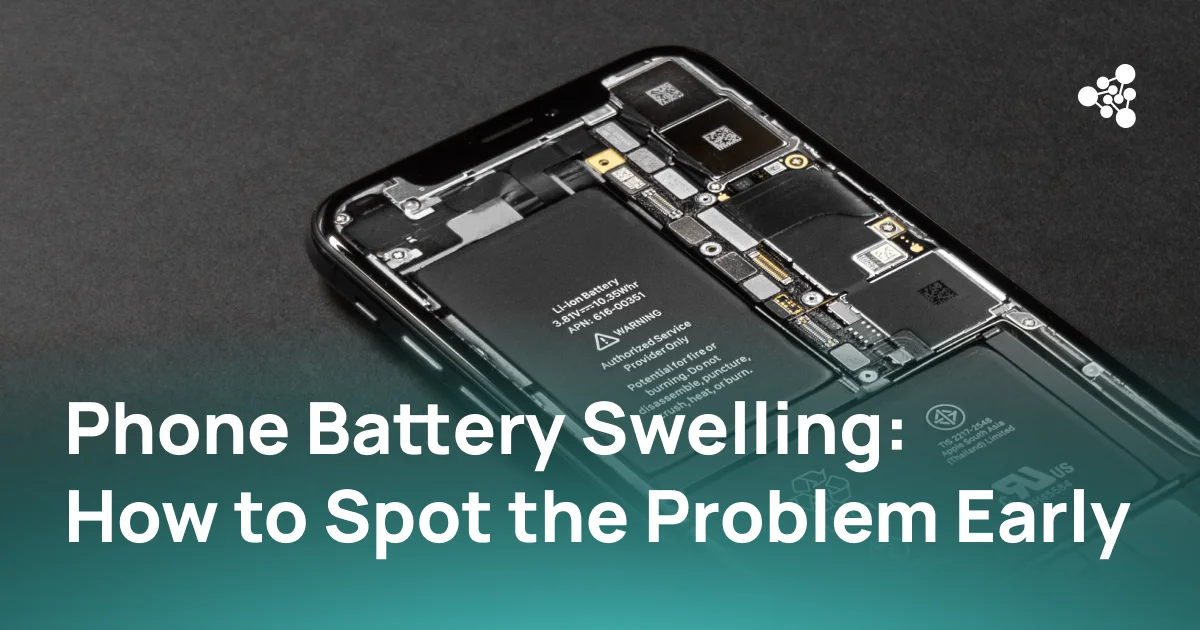
Phone battery swelling can begin with small physical changes that are easy to overlook. A screen may start separating from the frame, the back cover may develop a gap, or the phone may no longer rest evenly on a flat surface.
These changes can indicate that gases have accumulated inside the lithium-ion battery as its internal materials degrade. Because a swollen lithium-ion battery can overheat, rupture, or ignite, visible swelling should be treated as a battery failure rather than a cosmetic defect.
Quick Answer
Battery swelling usually appears as physical deformation of the phone, including a lifted screen, separating back cover, gaps around the frame, or a device that no longer sits flat. If swelling is suspected, stop charging and using the phone, avoid pressing or puncturing the battery, and have the device assessed by a qualified repair or recycling service.
Key Takeaways
- A swollen phone battery can push the screen or back panel away from the frame.
- Battery aging, heat, physical damage, charging problems, and internal defects can contribute to swelling.
- A swollen battery should not be charged, punctured, compressed, or forced back into the device.
- Battery swelling can damage the display, housing, and other nearby components.
- Damaged lithium-ion batteries require appropriate disposal and should not be placed in normal household waste.
What Is Battery Swelling?
Battery swelling occurs when gases build up inside a battery cell and cause its enclosure to expand. In smartphones, this typically affects lithium-ion or lithium-polymer batteries.
The expansion is a physical sign that the battery has undergone internal degradation or damage. Electrolyte decomposition, excessive heat, internal faults, physical damage, and aging can all contribute to gas formation.
Since smartphone batteries are installed in compact housings with little unused space, even relatively small expansion can begin pushing against the display, back panel, or frame.
What Are the Early Signs of a Swollen Phone Battery?
Battery swelling may become visible before the battery itself can be inspected. Common warning signs include:
- Screen lifting away from the frame
- Back cover beginning to separate
- New gaps along the edges of the device
- Phone wobbling when placed on a flat surface
- Pressure or deformation around the display or rear panel
- Unusual overheating
- Sudden changes in charging behavior or battery life
Physical deformation is particularly important. Reduced battery life can have many causes, while a screen or back panel being pushed outward indicates that something inside the device is applying pressure.
As the battery expands, this pressure can become more visible around the screen, back cover, or frame.
What Causes Battery Swelling?
There is no single cause of battery swelling. Several forms of battery degradation or damage can produce the same visible result.
Battery Aging
Rechargeable batteries degrade as they go through charge and discharge cycles. Over time, chemical reactions inside an aging battery can generate gases and cause the cell to expand.
Heat Exposure
High temperatures accelerate chemical degradation inside lithium-ion batteries. Repeated overheating or prolonged exposure to excessive heat can therefore increase battery stress.
Charging-Related Stress
Problems that cause a battery to operate outside its intended charging conditions can contribute to degradation. Modern smartphones include battery-management systems designed to control charging, but damaged or defective components can still create abnormal conditions.
Using reliable and compatible charging equipment also helps reduce unnecessary stress on the battery.
Physical Damage
Drops, impacts, bending, or punctures can damage the internal structure of a battery. Even when the exterior of the phone appears relatively intact, an impact may affect the battery internally.
Manufacturing Defects
Defects within a battery cell can also lead to internal failures. Battery swelling therefore does not necessarily mean that the device was used incorrectly.
How to Check Your Phone for Battery Swelling
Battery swelling can often be identified without opening the phone.
First, inspect the edges where the screen and back panel meet the frame. A new gap, uneven seam, or lifted section can indicate internal pressure.
Next, place the phone on a flat, stable surface. If a previously flat device now rocks or appears distorted, inspect it more closely.
Changes in battery behavior can provide additional context. Unexpected overheating, erratic charging, or rapidly deteriorating battery life may accompany battery failure, although these symptoms alone do not confirm swelling.
Do not squeeze the phone or press a lifted screen or back panel into position to check whether it moves. Pressure on a damaged or swollen lithium-ion battery can increase the risk of rupture.
Swollen iPhone Battery: Common Warning Signs
A swollen iPhone battery produces many of the same symptoms as battery swelling in other smartphones.
One of the clearest signs is the display beginning to separate from the chassis. Depending on the location and extent of the swelling, pressure may also affect the back of the device.
Other warning signs can include:
- Visible gaps between the display and frame
- Unusual screen pressure or deformation
- Rapid changes in battery life
- Charging irregularities
- Increased heat during use or charging
A lifting display should not simply be pressed back into place. The source of the pressure needs to be identified first.
Is a Swollen Phone Battery Dangerous?
Yes. A swollen battery is a damaged battery and should be treated as a potential safety hazard.
Lithium-ion battery failures can involve overheating, fire, and, in some circumstances, explosions. A swollen lithium-ion battery has already undergone physical or chemical changes that indicate it is no longer operating normally.
Swelling does not mean that a battery will immediately catch fire. It does mean that continued charging, heating, compression, or physical stress should be avoided.
Never puncture a swollen battery, bend it, compress it, or attempt to force it back into shape.
What to Do With a Swollen Phone Battery
Once battery swelling is suspected:
-
Stop charging the phone.
-
Stop using the device.
-
Power it off if this can be done safely.
-
Do not press the screen or back cover into place.
-
Do not puncture, bend, squeeze, or otherwise manipulate the battery.
-
Keep the device away from heat and combustible materials.
-
Contact a qualified repair provider, the manufacturer, or an appropriate battery disposal service.
Modern smartphones often use internal batteries secured with adhesive. Removing a swollen battery can expose it to additional mechanical stress, so professional handling is preferable when safe removal procedures and appropriate equipment are unavailable.
Damaged lithium-ion batteries should also not be discarded with ordinary household waste or standard recycling. Local requirements and available collection services should be checked for the correct handling of damaged batteries.
Can a Swollen Battery Be Repaired?
The swollen battery itself is generally replaced rather than repaired.
Whether the phone can continue to be used depends on the condition of the rest of the device. Expansion may place mechanical pressure on the screen, frame, back panel, connectors, and other internal components.
After battery replacement, the phone should be checked for additional faults before it returns to use or resale. A lifted display, damaged connector, charging issue, sensor fault, or other hardware problem may remain even after the failed battery has been removed.
For used-device businesses, professional mobile device diagnostics can help verify the condition of the phone after battery replacement. NSYS Diagnostics performs functional testing across key hardware components, making it easier to identify additional defects that may affect repair, grading, pricing, or resale decisions.
How to Reduce the Risk of Battery Swelling
Battery swelling cannot always be prevented, particularly when it results from an internal defect. Several practices can reduce unnecessary battery stress:
- Avoid prolonged exposure to excessive heat.
- Use reliable, compatible charging equipment.
- Protect devices from impacts and physical damage.
- Investigate unusual overheating or charging behavior.
- Replace degraded or damaged batteries when necessary.
- Inspect stored used devices for physical deformation before processing or resale.
For used-device businesses handling dozens or hundreds of phones, battery condition should be part of a consistent intake process. A device showing visible signs of swelling should be separated from normal testing and charging workflows so that a potentially damaged battery is not subjected to additional stress.
Frequently Asked Questions
Why do phone batteries swell over time?
Battery materials gradually degrade through aging and repeated use. Chemical decomposition inside the cell can generate gases, which accumulate and cause the battery enclosure to expand.
Can I keep using a phone with a swollen battery?
No. Continued use or charging can place additional stress on an already damaged battery. The device should be powered down if safe and assessed by a qualified service provider.
What does a swollen iPhone battery look like?
A swollen iPhone battery may cause the display to lift from the chassis, create gaps around the frame, or visibly deform the device. Charging problems, overheating, or deteriorating battery performance may appear alongside these physical symptoms.
Can battery swelling damage the screen?
Yes. An expanding battery can press against the display from inside the phone. Continued expansion may lift or deform the screen and can damage other nearby components.
Can a swollen phone battery explode?
A swollen battery does not necessarily explode, but internal damage can increase the risk of overheating, fire, or rupture. The battery should not be charged, punctured, compressed, or exposed to excessive heat.
Will a swollen phone battery go back to normal?
No. Swelling indicates internal battery degradation or failure. The battery should be replaced and disposed of through an appropriate service rather than compressed or reused.
Conclusion
Phone battery swelling should be addressed as soon as physical deformation appears. A lifting screen, separating back panel, or distorted frame can indicate internal battery failure even when the phone still turns on and appears to function normally.
Once swelling is suspected, charging and normal use should stop. Safe handling, proper battery replacement, and functional diagnostics of the surrounding components help determine whether the phone can safely return to use or resale.